A Copilot+ NPU Only Matters When Your Apps Use It
The Copilot+ badge says a laptop has a capable neural processor. It does not guarantee that the AI features you use will run locally, respond faster or extend battery life.
August 9, 2026 · 8 min read
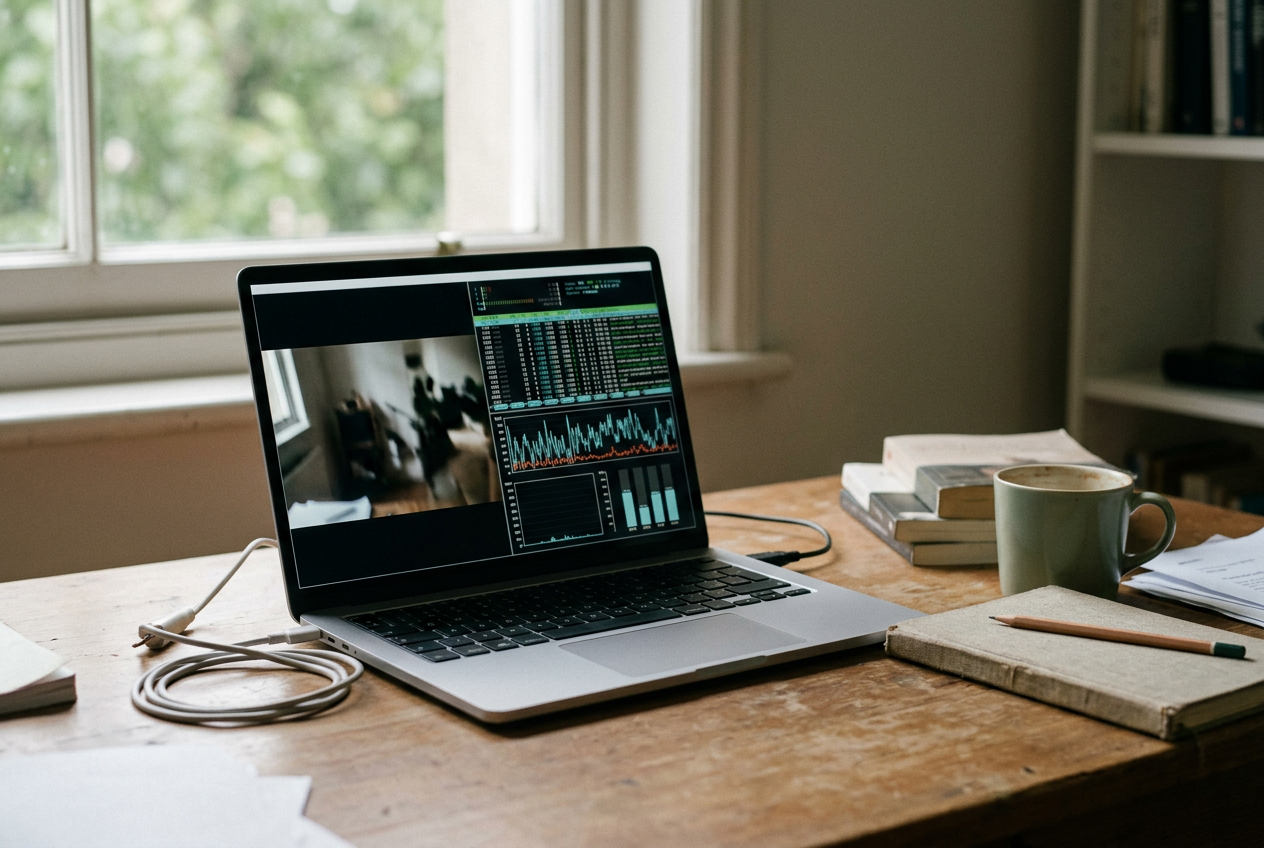
The useful test starts with an unplugged video call. Open the camera preview on a Copilot+ laptop, enable a Windows Studio Effect such as background blur, and watch the neural processing unit, or NPU, in Windows Task Manager. This is one of the cleaner cases for dedicated AI hardware because Microsoft designed supported Studio Effects to use the NPU.
Now open an AI writing tool, ask it to summarize a document and watch the same graph. It may stay flat. The application could be sending the document to a cloud model, running a smaller model on the central processing unit, or handing work to the graphics processor. All four products can carry an AI label, but only the first workload tells you much about the NPU you bought.
That distinction matters more than the peak specification. Microsoft defines Copilot+ PCs around an NPU capable of more than 40 trillion operations per second, commonly written as TOPS. The figure describes a theoretical rate for certain low-precision calculations. It does not tell you how quickly a particular application opens, whether its model fits in memory or whether its developer has built support for your chip.
The badge is a hardware qualification. Treat it that way.
Start with the feature, not the application
Do not ask whether an application “supports AI.” Find the exact operation you expect to use: camera framing during calls, local transcription, image generation, noise suppression or a document summary. Different features inside the same application can take different routes through the computer.
A meeting app, for example, might use Windows Studio Effects on the NPU for background processing while sending its transcript to a remote server for summarization. The first feature can continue locally without an internet connection. The second may stop, lose functionality or wait until the connection returns. Looking only at the application name hides the difference.
Return to the camera preview. It gives us a controlled input, requires no live meeting and can be repeated with the laptop unplugged. Keep the scene, lighting and camera position unchanged. Enable one effect at a time rather than combining framing, blur and eye-contact correction, because otherwise a change in load cannot be tied to one setting.
Vendor documentation is the first filter. Search the application’s support pages for the feature name alongside terms such as “NPU,” “on-device,” “local processing” and the processor platform in the laptop. A broad claim that an app is “optimized for AI PCs” is insufficient. Useful documentation identifies a feature, supported hardware and any required setting or download.
Also check whether the feature is restricted to a particular app build, Windows component or model package. Local models occupy storage and may arrive after the main application installs. If the documentation promises NPU acceleration but your machine lacks the required component, Windows can fall back to another processor or the feature may remain unavailable.
Watch where the work goes
Open Task Manager with `Ctrl+Shift+Esc`, select Performance and look for an NPU panel. Availability and labeling can vary with the laptop and its drivers, but a supported Copilot+ system should expose NPU activity through Windows monitoring tools. Leave the panel visible while repeating the camera test.
First record the idle level with the preview open and the effect disabled. Turn on the effect, wait for activity to settle, then move within the frame so the software has fresh work. A rise that follows those changes is stronger evidence than a graph that happened to be busy when the application launched. Disable the effect and confirm that activity falls again.
During hands-on evaluation, this on-off comparison was more informative than the presence of an NPU graph by itself. Windows and background services can use the accelerator, while Task Manager samples activity rather than explaining every operation. A brief spike proves that something reached the NPU; repeated changes tied to the feature make the attribution credible.
Keep the CPU and GPU graphs visible too. NPU acceleration rarely means those processors do nothing. The CPU still handles application logic and prepares data, while the GPU may draw the interface or composite the final video. The practical result should be lower pressure on those general-purpose processors than an equivalent implementation would create, not zero activity everywhere else.
Some applications expose a hardware provider in their settings or diagnostic logs. An entry such as NPU, a named vendor runtime or an on-device execution provider is useful corroboration. A runtime is the software layer that loads and executes the model. If the app reports CPU or GPU instead, the NPU label on the laptop does not change that workload.
A flat NPU graph is not conclusive on its own. The job might be too short for Task Manager’s sampling interval, the driver may report poorly, or the app may use the accelerator only for one stage. Pair the graph with feature-level documentation and an offline check rather than treating any single signal as proof.
Disconnect the cloud without fooling yourself
A local feature should continue after the network disappears, although it may still require an initial sign-in or model download. Prepare a fresh input, let the application finish installing its components, disconnect Wi-Fi and repeat the task. Change the input before the second run so the app cannot return a cached result.
The camera workflow is straightforward: Windows Studio Effects should still process the live preview offline on supported hardware. A document assistant needs more care. Close and reopen it after disconnecting, load a different local document and request a new output. An error, indefinite spinner or reduced feature set points to a cloud dependency, even if part of the interface remains available.
Offline operation is useful evidence of local processing, but it does not prove NPU use. A local model can run on the CPU or GPU. Conversely, an application may use the NPU for preparation while contacting a server for the main model. The Task Manager comparison and the network test answer different questions, so run both.
Local execution also does not settle the privacy issue. An app can perform inference, meaning the model’s calculation, on the device while still syncing prompts, diagnostics or finished files. Check its data settings and privacy documentation separately.
Measure the battery change you can live with
An NPU is designed to handle supported calculations more efficiently than waking a larger processor for the same work. That does not mean enabling an NPU-powered effect saves battery compared with leaving the effect off. The honest comparison is between implementations that deliver the same result, which consumer software rarely lets you select directly.
You can still measure the feature’s real cost. Charge the laptop to the same starting level, set a fixed screen brightness and use the same Windows power mode. Close unrelated applications, allow update activity to finish and run the camera preview with the effect disabled for a fixed period. Repeat with the effect enabled, then swap the order on a second set of runs so heat or background activity does not always favor one condition.
Record battery percentage lost per hour rather than reporting only the ending percentage. Windows’ battery report, generated with `powercfg /batteryreport`, can provide context about the battery’s current capacity, which matters because an older pack makes percentage-based comparisons less portable. Short tests remain noisy, and a one-point difference should not decide a purchase.
Responsiveness needs a similarly controlled check. During each camera run, use the laptop as you normally would on a call: switch windows, edit a document and scroll a busy page. Note sustained fan noise, dropped preview frames and delays in the foreground application. If the NPU graph rises while CPU or GPU pressure stays contained, the accelerator is doing the job shoppers usually expect from it: preserving headroom for other work.
Return once more to that camera preview. It is a defensible reason to value an NPU if you spend hours on battery-powered calls and use the effect. It is not evidence that a cloud chatbot, a GPU-heavy image editor or an unrelated transcription package will improve.
Make the buying decision from your own shortlist
Before paying more for a Copilot+ model, write down the two features you expect to use most. For each one, require feature-level vendor documentation, visible NPU activity tied to an on-off test and continued operation without a network if local processing matters to you. Battery testing should then show a cost you can accept, even if it cannot isolate the NPU’s savings precisely.
Buy for the NPU when those named features work locally and matter during unplugged use. Treat the NPU as a secondary benefit when your main tools still use cloud services or a discrete GPU. If a retailer and application vendor offer only TOPS figures and general AI language, there is no demonstrated daily advantage to purchase yet.
Questions people ask
Does every Copilot+ PC application use the NPU?
No. The Copilot+ designation confirms that the computer meets Microsoft’s hardware requirements, including a capable NPU. Applications must still support the hardware through an appropriate runtime, and separate features within one application may use the NPU, CPU, GPU or a cloud service.
How can
I tell whether an AI feature runs locally?
Install any required model components, disconnect the network and repeat the feature with fresh input. If it still works, the main calculation may be local, but check Task Manager or the app’s diagnostics as well because offline software can run on the CPU or GPU instead of the NPU.
Will using the NPU always improve battery life?
No. An NPU can use less energy than a CPU or GPU performing an equivalent supported calculation, but turning on a new AI effect still adds work compared with leaving it off. Compare repeatable runs at the same brightness and power mode, and judge the battery cost of the feature you will use.
Is a higher TOPS number a good reason to upgrade?
Not by itself. TOPS is a peak hardware rating, not a measurement of your applications, model compatibility or responsiveness. Upgrade when a named feature supports that NPU and your tests show a useful local, battery or multitasking benefit; otherwise the larger number may remain idle.
One story a day
The story of the day, in your inbox
One real story about AI each morning — no hype, no alarm, just company for the road.