Set Up AI Glasses Before Their Camera Leaves the House
A privacy-first walkthrough for Ray-Ban Meta glasses, covering the capture light, voice history, contacts, cloud processing and the conversation to have before recording anyone.
August 9, 2026 · 8 min read
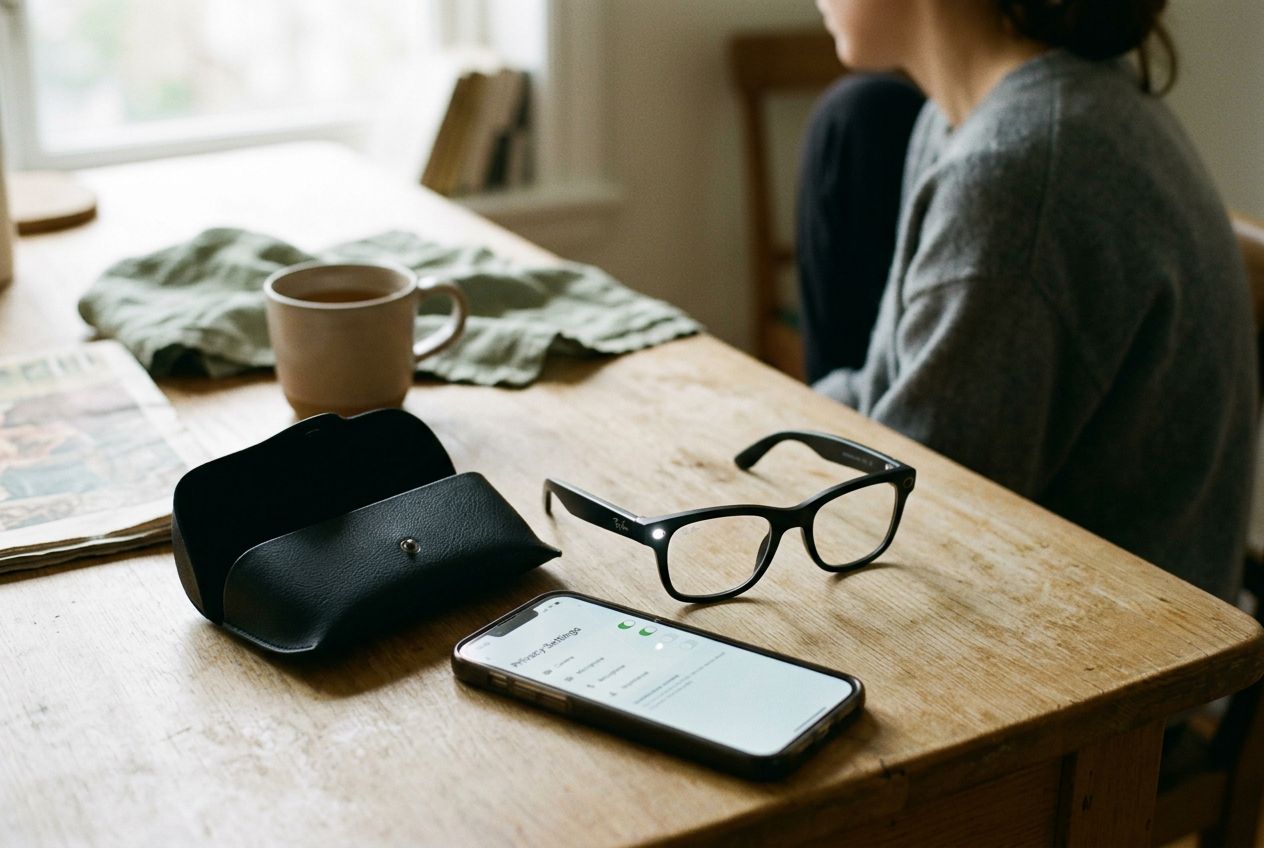
This walkthrough uses Ray-Ban Meta glasses and the Meta View companion app as its concrete case, though the decisions apply to other camera-equipped AI glasses. Put the glasses, your phone and the charging case on a table. Do not start by exploring the AI features. Start with the small white privacy light on the front of the frame, because that light is the only immediate signal a nearby person gets when the camera is taking a photo or video.
Default settings can make a device operational. They cannot establish that people around you understand it.
Test the capture indicator from the other side
Wear the glasses and record a short video while another person stands several feet away. Ask that person to point out the capture indicator without first telling them where it is. Repeat the test outdoors, near a window and in the dimmest room where you expect to use the glasses.
Ray-Ban Meta glasses use an outward-facing privacy LED to indicate photo or video capture. Meta says capture is blocked if the light is fully covered, which makes defeating the indicator less straightforward than placing tape over it. That safeguard does not make the signal conspicuous in every setting. A small white light can be easier to miss in bright conditions, while someone who has never encountered smart glasses may see it and have no idea what it means.
Check the indicator whenever the glasses have been dropped, repaired or covered by an accessory. A case, decorative skin or badly fitted lens attachment should not obstruct it. Then learn the physical capture control and the spoken command well enough that you can recognize an accidental activation without opening the app. The practical failure mode is mundane: a hand reaches for the temple, presses the wrong control, and recording begins while the wearer assumes nothing happened.
Use the phone app to confirm the resulting file, then delete the test clip from every location where it appeared. That deletion exercise matters more than it sounds, because it reveals whether media remains on the glasses, enters the phone's photo library or becomes eligible for an existing backup service.
Decide when the microphone may listen
Voice activation lets the glasses respond after a wake phrase, a short phrase intended to tell the device that the following speech is a command. It also creates a wider capture surface than pressing a button, since similar-sounding speech can trigger the system by mistake and some requests must leave the device for processing.
Open Meta View and review the controls labeled for voice, Meta AI, stored voice interactions or activity history. Menu names and placement can change, so use the app's settings search or Meta's current help page rather than relying on an old screenshot. Check whether voice interactions are saved, how to review them and whether deleting an entry removes the associated audio, its transcript or both. Those are different records.
Run one harmless command, such as asking for the weather, and locate it in the available history. Delete it. If you cannot find a history screen or cannot tell what deletion covers, treat the retention path as unresolved rather than assuming nothing was stored.
Disabling voice activation reduces accidental cloud requests, but it also removes much of the reason to wear AI glasses instead of carrying a camera. The fallback is the physical control, which takes another movement and is less useful when both hands are occupied. That is a real tradeoff. For a person who mainly wants first-person photos, leaving the wake phrase off may be sensible; for someone buying the glasses for hands-free assistance, it may make the product feel needlessly limited.
A microphone mute control, where available, is stronger than promising yourself not to issue commands. Powering the glasses off is clearer still in a medical appointment, changing room, private meeting or any setting where an always-ready camera and microphone would predictably distract other people.
Give the app fewer contacts than it requests
Hands-free calling and messaging work better when the companion app can match spoken names to people in your address book. Contact synchronization means copying or continuously matching address-book data with a service, rather than consulting only the contacts stored on the phone.
Before granting access, identify the feature you plan to use. If it is calling one family member through the phone's normal dialer, test whether limited contact access on your phone's operating system is enough. Both iOS and Android offer permission controls, although the available choices depend on the phone and app. If Meta View or a connected messaging service requires broader access, the decision is no longer just about your data.
An address book contains other people's names, numbers, email addresses and relationship labels.
Open the phone's system settings, not only Meta View, and inspect permissions for contacts, microphone, camera, nearby devices, Bluetooth, location and photos. Keep permissions that support a feature you will use. Revoke the rest, then test calling and messaging again. A denied permission can break name matching or require you to complete the action on the phone, but that visible inconvenience is preferable to leaving broad access enabled without knowing why.
Also inspect connected services such as Messenger or WhatsApp separately. Removing contact permission from the glasses app does not necessarily alter information already held by another account, and disconnecting one messaging service may leave another active.
Trace one photo through the storage chain
Take a deliberately boring photograph of the table. Import it through Meta View, then follow that exact file.
Camera glasses can hold captures until the companion app imports them. Once the image reaches the phone, its next destination depends on app settings, phone permissions and any photo-backup service already running. An AI request that analyzes what the glasses see may take a separate route to the vendor's servers, because cloud processing means computation happens on remote infrastructure rather than entirely on the frame or phone.
Check four places: the glasses' available media, Meta View, the phone's photo library and the trash or recently deleted folders. If the phone uses iCloud Photos, Google Photos or another backup service, check that account too. Delete the table photograph and confirm whether deletion propagates or leaves another copy behind. Emptying a trash folder may shorten the period in which you can recover the file, though vendor retention and backup systems can still operate under their own policies.
Next, review Meta's privacy controls for AI interactions and media used in a request. Look for retention periods, activity deletion and product-improvement settings, without treating one global toggle as proof that every data category follows the same rule. A photo imported for your own use, a voice command and an image submitted for visual analysis can have different storage paths.
This table-photo test is the anchor for the whole setup. If you cannot explain where that harmless file went, you will not be able to explain what happened to a sensitive capture made outside the house.
Set a consent rule that works at speaking speed
The indicator tells a bystander that capture is occurring. It does not establish permission, and it arrives too late if your rule is to ask before recording.
Choose a sentence you can use without improvising: “These glasses have a camera. Is it okay if I take a photo?” For video or AI analysis, name that function instead. Consent to appear in a photograph does not automatically cover recording a conversation, sending an image to a cloud service or using the result later.
Local recording and privacy laws vary, especially for audio, so check the rules that apply where you live or travel rather than treating the hardware indicator as a legal clearance.
Set a stricter default for children, workplaces, health settings and private homes. If someone declines, stop capture and use the phone only if they agree to that alternative. The phone is slower and more obvious, which is precisely why it can be the better tool around people who did not choose the wearable.
Before leaving, return to the glasses on the table and make five decisions: the capture light is visible; voice activation is on or off by choice; contact access is limited to a used feature; the table photo's storage path is understood; and recording starts only after disclosure where another person is identifiable. Save a calendar reminder to repeat the check after major app updates, account changes or a new phone. Permissions and menu labels move even when the frames do not.
Questions people ask
Does the privacy light mean everyone has consented to recording?
No. It indicates that the camera is capturing, but a nearby person may miss the light or not understand it. Ask before recording identifiable people in private or sensitive settings, and describe whether you are taking a photo, recording video or sending visual information to an AI service.
Can
AI glasses work without sending anything to the cloud?
Basic capture may remain on the glasses until import, but AI answers and visual analysis can require remote processing. Turning off voice activation or avoiding AI requests reduces that traffic at the cost of hands-free features. Check the vendor's current documentation because processing paths can differ by feature and region.
Should
I allow contact synchronization for hands-free calling?
Grant only the access needed for calling or messaging features you intend to use, then test them. Limited access may weaken spoken-name matching or push part of the task back to the phone. Broad synchronization is easier, but it exposes address-book information belonging to people who did not buy the glasses.
Is deleting a photo in the companion app enough?
Do not assume so. Check the glasses, companion app, phone library, recently deleted folder and any automatic photo-backup account. The table-photo test takes a few minutes and shows whether deletion propagates, leaves a recoverable copy or requires cleanup in another service.
One story a day
The story of the day, in your inbox
One real story about AI each morning — no hype, no alarm, just company for the road.